Guide ·
The EPSO TAO platform: screen, tools and rules of the tests
In short
Since January 2026, EPSO delivers its computer-based tests on TAO, an open-source testing platform developed by Open Assessment Technologies (Luxembourg), with remote supervision through the Proctorio browser extension. You sit the tests at home, on your own computer, at the time set in your invitation. Writing materials are prohibited, so every calculation happens with the on-screen tools, and each reasoning test has its own clock.
Key facts
- Platform
- TAO, by Open Assessment Technologies (OAT), Luxembourg
- At EPSO since
- 27 January 2026 (first test: EPSO/AD/425/25)
- Supervision
- Proctorio extension: webcam, microphone and screen
- Where
- At home, on your own desktop or laptop; no phones or tablets
- Browser
- Google Chrome or Microsoft Edge
- Reasoning tests
- Verbal 20 questions in 35 min · numerical 10 in 20 min · abstract 10 in 10 min
- Pass marks
- Verbal 10/20 · numerical and abstract combined 10/20
- Paper and pen
- Prohibited
What is TAO?
TAO stands for Testing Assisté par Ordinateur, French for computer-assisted testing. It started as a research project of the University of Luxembourg and the Luxembourg Institute of Science and Technology, and is now developed by Open Assessment Technologies (OAT). It is open source, published under the GPL-2.0 licence, and follows the QTI standard for test content.
On 20 June 2025 EPSO signed a framework contract with OAT after tender EPSO/OP/2024-0016 (lot 1). OAT is the first-ranked provider for the online delivery of EPSO's open competitions; Prometric, the previous provider, is second in the cascade and steps in only when needed.
When did EPSO start using it?
The first EPSO test on TAO took place on 27 January 2026, for competition EPSO/AD/425/25 (Building management). According to EPSO, 2,249 of the 3,170 invited candidates connected, and about 91% completed all three tests. The remaining 9% were reviewed case by case, to tell technical problems apart from breaches of the rules such as leaving the camera view.
Since then TAO has been the platform for EPSO's computer-based tests, including the 2026 AD5 graduate competition (EPSO/AD/427/26). EPSO's technical page also lists a second provider, TestWe, for some tests: your invitation tells you which one applies.
How does a test session work?
You sit the tests remotely, on your own computer, on the date and at the time set in your invitation: all candidates of a competition take them at the same time. Two pieces of software run together. TAO shows the questions; the Proctorio extension in your browser supervises you through the webcam, the microphone and screen monitoring, and records the session.
Before test day there is a mandatory technical prerequisite check, with its own deadline. Skipping it can cost you the test. At check-in you show an ID document with your name and photo on the same side, and follow the environment check of your room and desk.
What does the screen look like?
TAO shows one question at a time. Depending on how the organiser sets up the test, you can move between questions with the arrows or the numbered bar, bookmark a question to come back to it, and open an overview panel that shows which questions are answered, unanswered or bookmarked.
The timer sits in a corner of the screen and is small enough to forget. TAO warns you when time is running out and before you move on to the next part, and asks for confirmation if you try to finish with questions unanswered. Answers are saved as you go.
Each reasoning test is a separate part with its own clock. When the verbal test ends, its time does not carry over to the numerical one.
Which tools do you get?
TAO has a set of tools that the organiser switches on test by test: a calculator (simple, BODMAS or scientific), a scratchpad for notes and sketches, an answer eliminator to strike out options you have ruled out, answer masking, a highlighter, a line reader and a magnifier. EPSO's official instructions list the ones enabled in its tests: read them before test day.
The rule that changes how you practise: writing materials are prohibited. No scrap paper, no pen, no printed notes on the desk. Every calculation in the numerical test is done with the on-screen calculator and noted in the digital scratchpad. Practising numerical reasoning with pen and paper trains a habit you cannot use on the day.
What are the technical requirements?
From EPSO's technical page:
- Windows 10 or later, macOS 10.15 or later, or Ubuntu 18.04 or later
- Google Chrome or Microsoft Edge
- A desktop or laptop less than 10 years old; phones and tablets are not supported
- 2 GB of free RAM and 25 MB of free disk space
- A camera and a microphone
- Administrator rights on the computer, which corporate laptops usually do not give you
- Antivirus and firewall disabled, and no active VPN
- A stable internet connection, wired or Wi-Fi
What is allowed on your desk?
EPSO's clean-desk policy:
- Prohibited: mobile phone, docking station, headphones or earbuds, writing materials, books and notes, and other people or pets in the room.
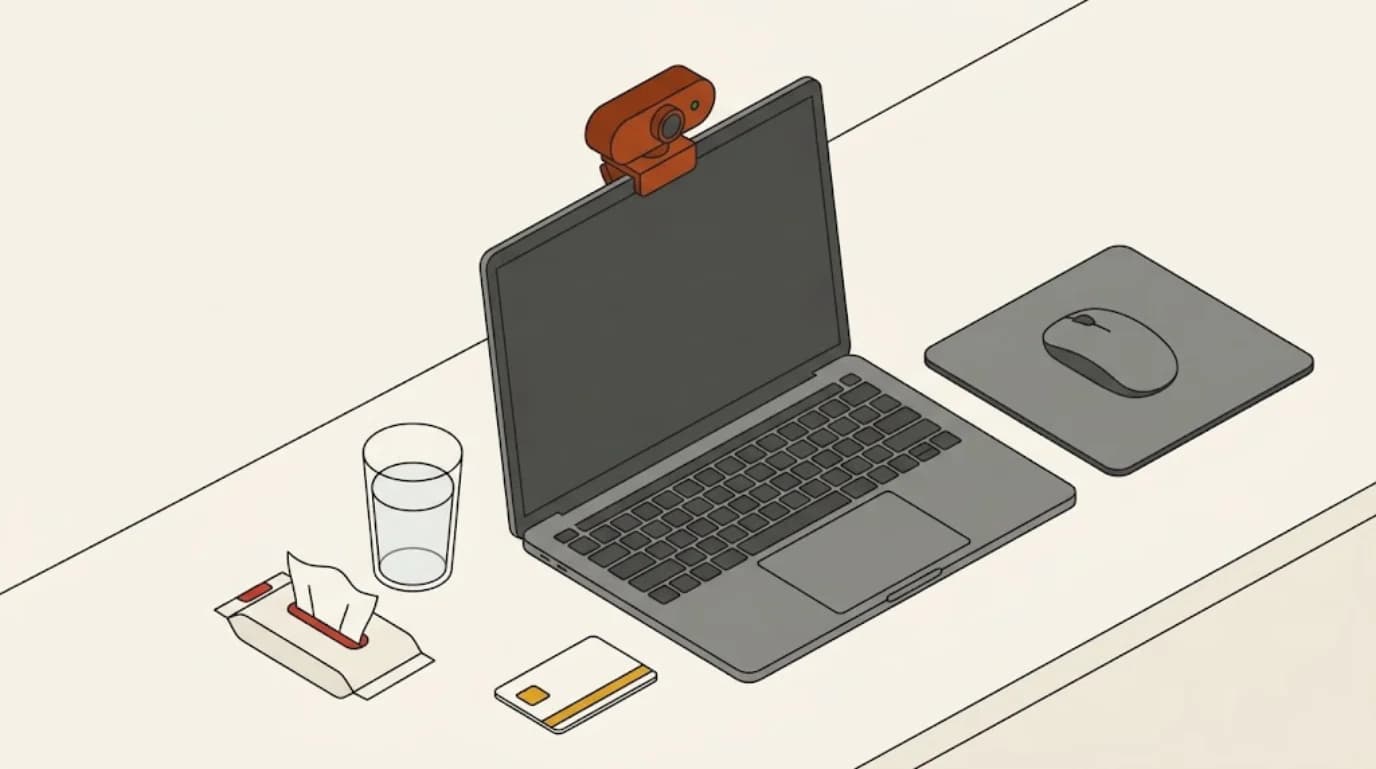
- Allowed: laptop and charger, a single screen, mouse and keyboard, mousepad, tissues, your ID document and a drink without a label.
During the test you stay in camera view, alone in a quiet, well-lit room, without speaking or reading aloud.
How are the reasoning tests scored?
In the 2026 notices the reasoning part is three separate tests: verbal (20 questions, 35 minutes), numerical (10 questions, 20 minutes) and abstract (10 questions, 10 minutes). Verbal is passed on its own, with 10 out of 20. Numerical and abstract are passed together: 10 out of 20 between the two.
The same three tests are used for CAST Permanent, AD5 and the AD7+ and AST3 specialist competitions. The notice of your competition is the reference: check it for the tests that come after the reasoning part.
How to prepare for TAO
- Run the technical check early, on the computer you will use on the day, and not on a work laptop.
- Practise numerical reasoning with an on-screen calculator and a digital scratchpad only. No paper.
- Learn where the tools are before the day. Looking for the answer eliminator during a 10-minute abstract test costs questions.
- Train yourself to look at the clock at fixed points, for example every five questions. The timer will not call you.
- Rehearse under real conditions: a full test, real timings, no breaks, the desk as it will be.
Frequently asked questions
- Can I sit EPSO tests on a tablet or a phone?
- No. EPSO only supports desktop and laptop computers less than 10 years old, running Windows 10, macOS 10.15, Ubuntu 18.04 or later, with Chrome or Edge.
- Can I use paper to do the calculations?
- No. Writing materials are prohibited by the clean-desk policy. Calculations are done with the on-screen calculator and the digital scratchpad.
- Can I use my work laptop?
- Usually not. You need administrator rights and must disable antivirus and firewall, which corporate computers normally prevent. EPSO itself warns about it.
- Is TAO the same as the old Prometric test screen?
- No. TAO is a different platform with its own interface and tools. Prometric remains as EPSO's second provider in the contract cascade, but the open competitions run on TAO.
- Does EPSO provide practice tests?
- EPSO publishes sample questions so candidates can see the formats, but says they are not training material and that it does not offer or endorse preparation courses.
Sources
- Technical requirements and general recommendations · EPSO · consulted September 15, 2026
- Announcement: EPSO's new test provider · EPSO · June 2025
- First testing with the TAO platform on 27/1/2026: preliminary data and observations · EPSO · February 2026
- Instructions for online testing (TAO) · EPSO · March 2026
- EPSO testing: sample tests · EPSO
- Test navigation for test takers · Open Assessment Technologies, TAO user guide
- Using test taker tools · Open Assessment Technologies, TAO user guide
- TAO source code · Open Assessment Technologies
- Notice of open competition EPSO/AD/427/26, Administrators (AD5) · Official Journal of the EU, C/2026/711